How We Built Femina in Weeks: A React Native Women’s Health Companion PoC
Target Audience : Femtech founders, product leaders, health-tech CTOs, digital health teams.
Core Focus : Building a structured and extensible women’s health app experience from real user journeys.
Technology Focus : React Native + Expo, Redux Toolkit, Supabase, Apple Health sync, chart-driven trackers.
1. Strategic Introduction :
Women’s health products often fail at one critical point: they collect data, but they do not convert that data into an everyday guidance experience. Most apps either stop at a period calendar or overload users with disconnected trackers.
Femina was built to close that gap through one integrated mobile flow across onboarding, cycle intelligence, health sync, pregnancy mode, and account-level personalization.
This PoC proves that a modular React Native architecture can deliver a complete, production-minded women’s health journey quickly, without sacrificing clarity, reliability, or UX continuity.
2. Industry Problem :
Most women’s health apps struggle with fragmentation:
- Cycle tracking exists in isolation from daily logs and long-term trends.
- Health metrics (steps, sleep, heart rate, weight) stay disconnected from menstrual and pregnancy context.
- Pregnancy experiences are often bolted on, not deeply integrated with profile and timeline data.
- Account settings are treated as static forms rather than lifecycle controls (goal switching, mode activation/deactivation, password state, support).
The result is a broken experience where users constantly re-enter context across tabs and flows.
3. Strategic Insight / POV :
The Femina implementation is based on a practical product architecture:
- Journey-first flow design : onboarding -> cycle setup -> daily use -> pregnancy path -> account controls.
- Container/View pattern everywhere : every major screen under `new-screens` separates behavior from presentation (`Container.tsx`, `View.tsx`, `Styles.ts`).
- Hybrid data strategy : Supabase-backed remote data with UI-safe fallback states for continuity.
- Contextual navigation : pregnancy mode dynamically changes tab visibility and settings behavior.
- Structured health intelligence : all trackers are visualized with chart-ready transformed datasets, not raw payload dumps.
4. Hypothesis :
Can we build a unified women’s health app module that handles:
- Structured onboarding
- Date-constrained cycle setup and predictions
- Quick daily logging
- Apple Health synchronization
- Multi-metric trackers with trend visualization
- Pregnancy-mode personalization
- Account-level profile, security, and support flows
Inside a single React Native codebase with reusable screen architecture?
This PoC validates that answer as yes.
5. Why PoC :
A PoC is critical here because women’s health apps are sensitive workflows. If date logic, tracker interpretation, or pregnancy transitions are wrong, trust breaks immediately.
This PoC allows teams to validate:
- Real navigation behavior across lifecycle stages
- Data integrity from logs to charts
- Permission and sync handling (HealthKit + notifications)
- Personalization UX before heavy production investment
6. What We Built :
We built a complete screen ecosystem:
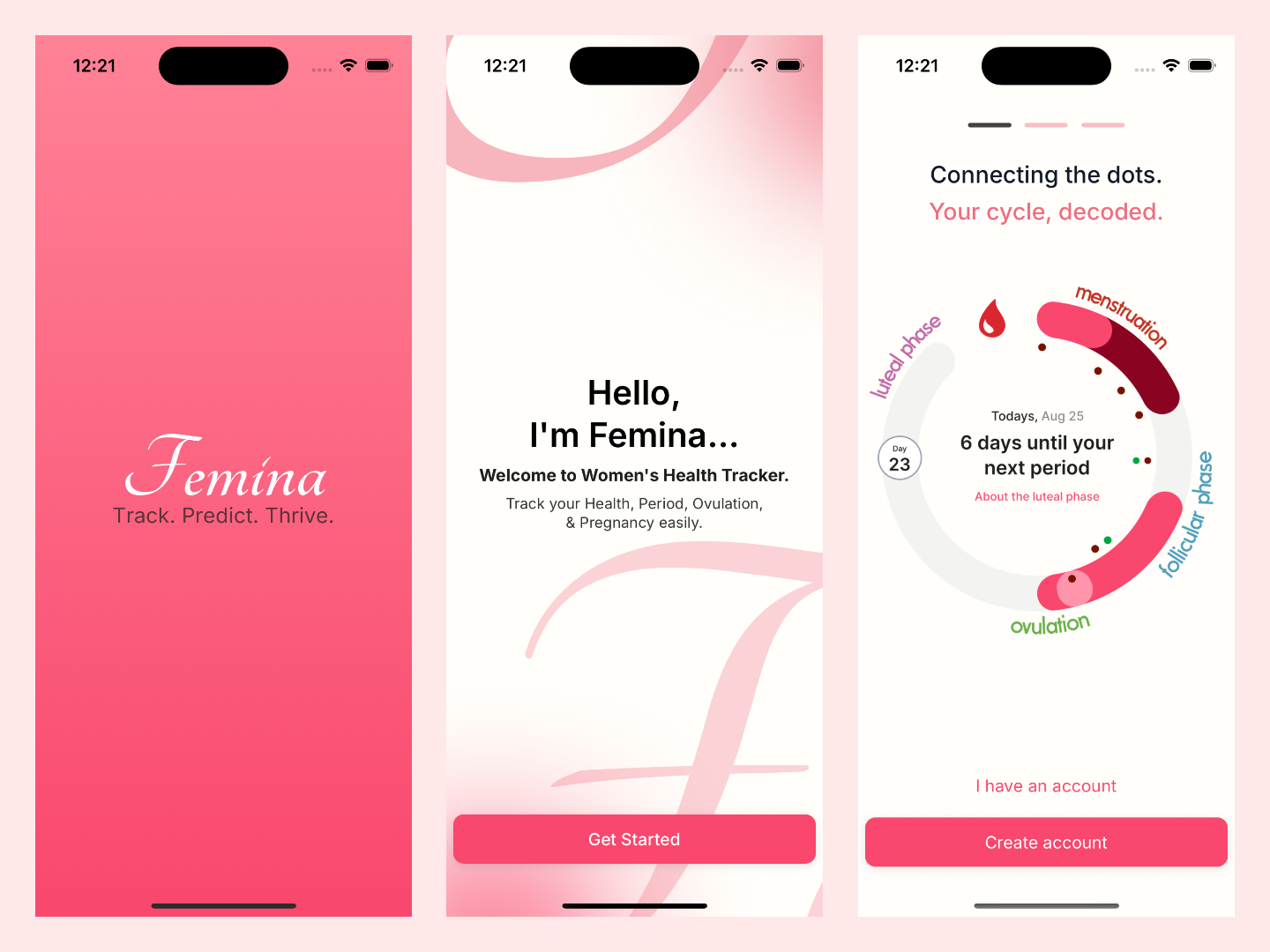
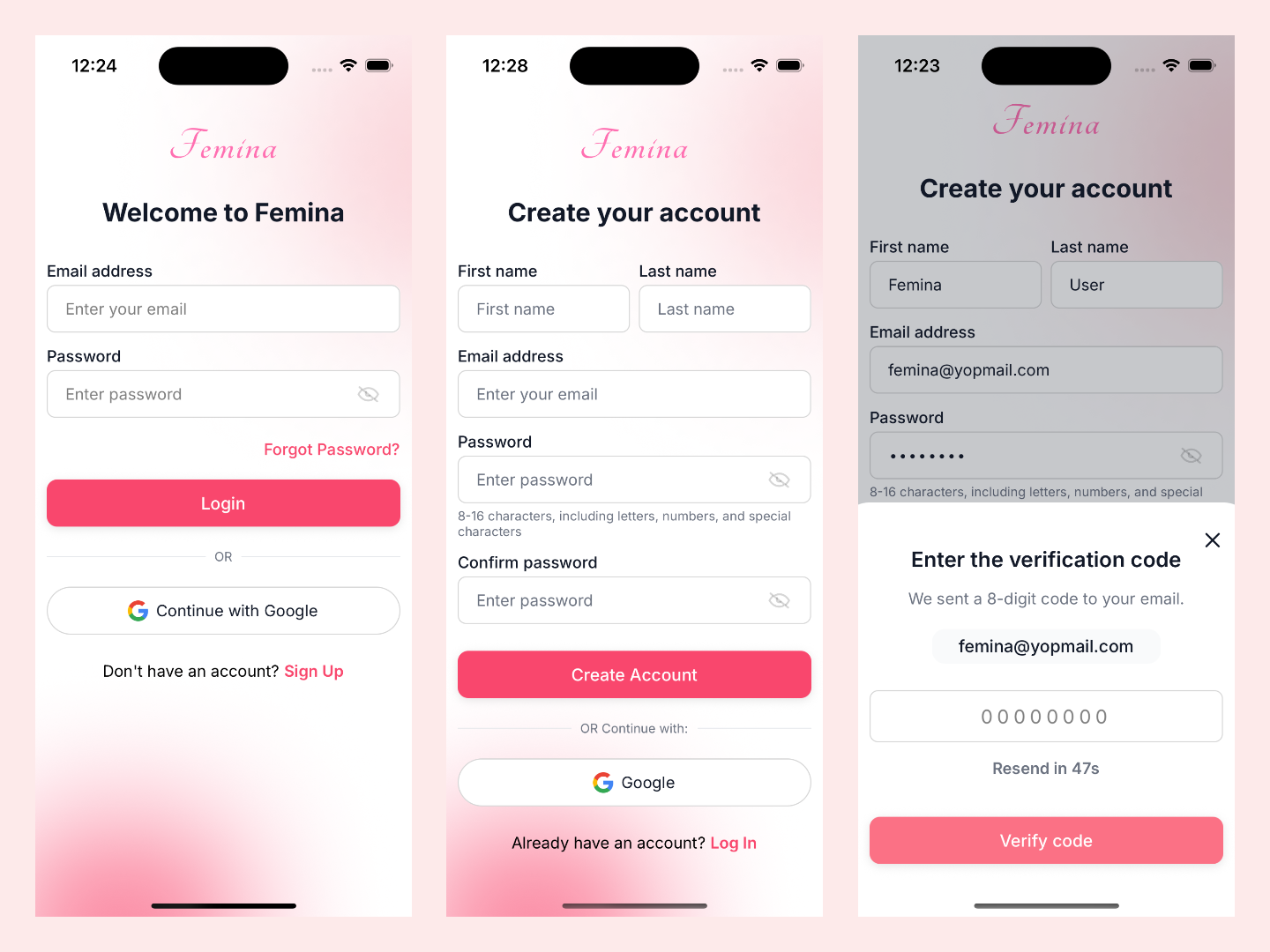
- Entry & Auth : `Splash`, `Welcome`, `Walkthrough`, `Login`, `Signup`, `ForgotPassword`, `ResetPassword`, OTP modal flows.
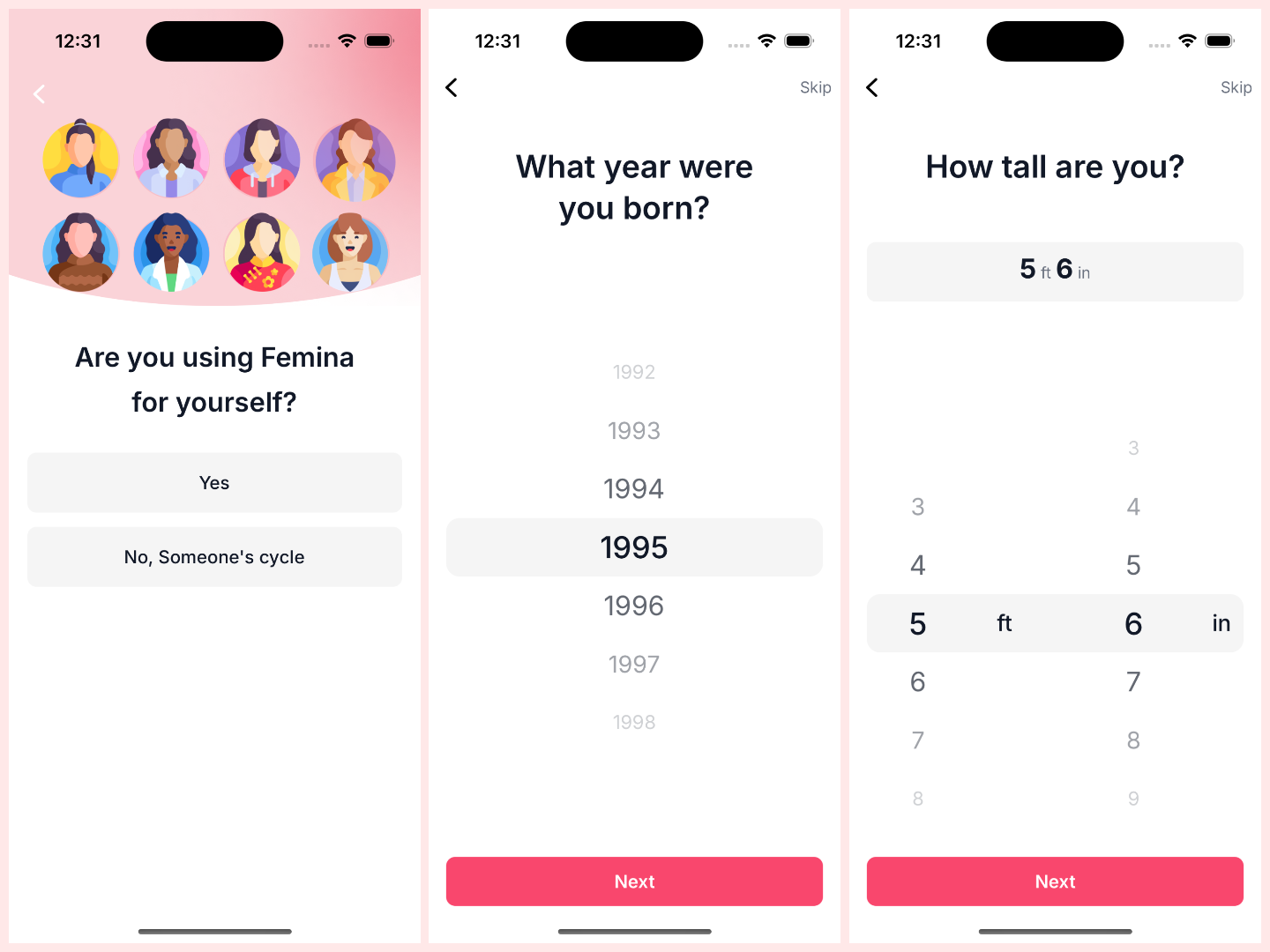
- Onboarding : use-case selection (self/someone else), birth year, height, weight, then guided cycle setup.
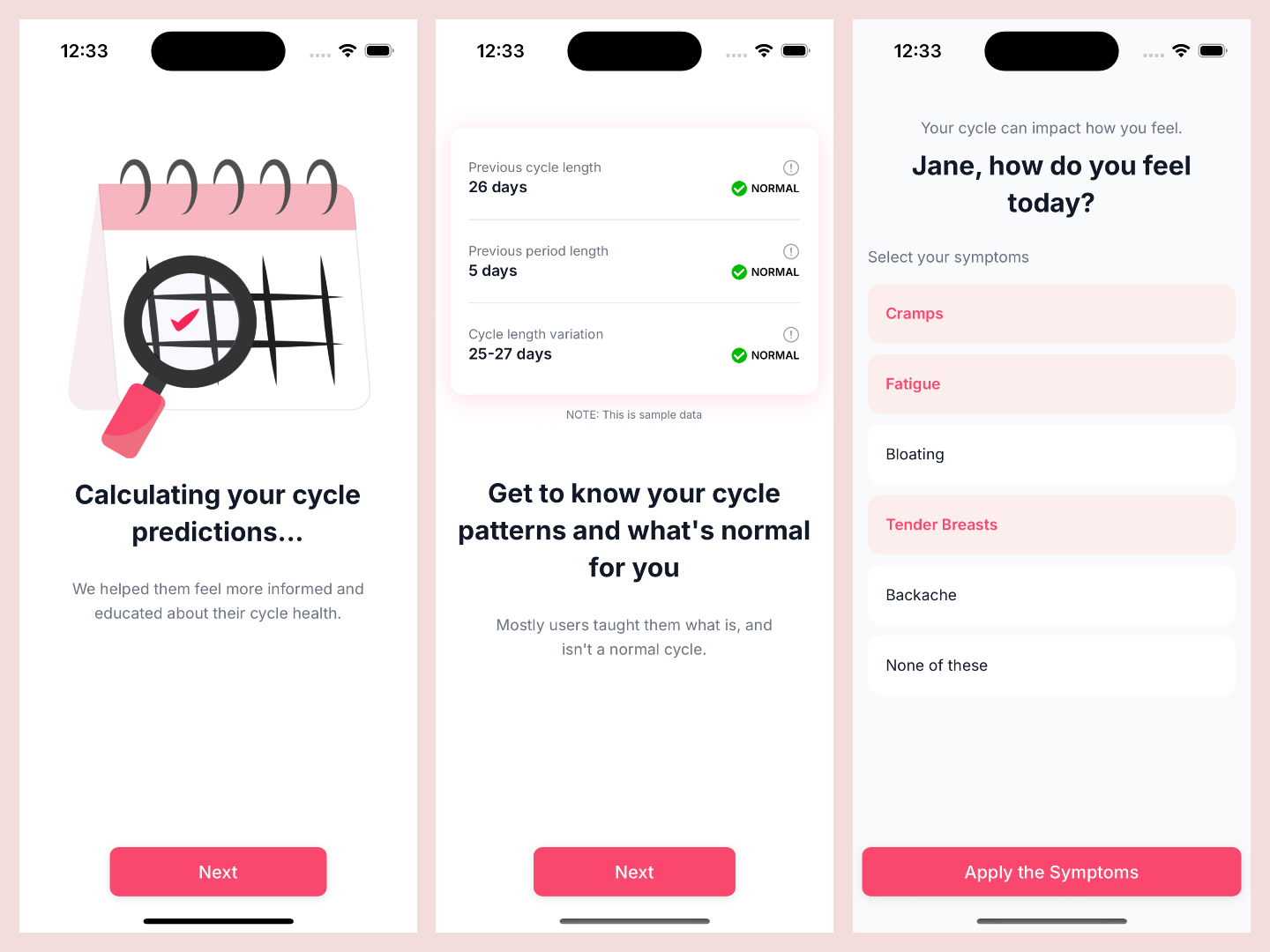
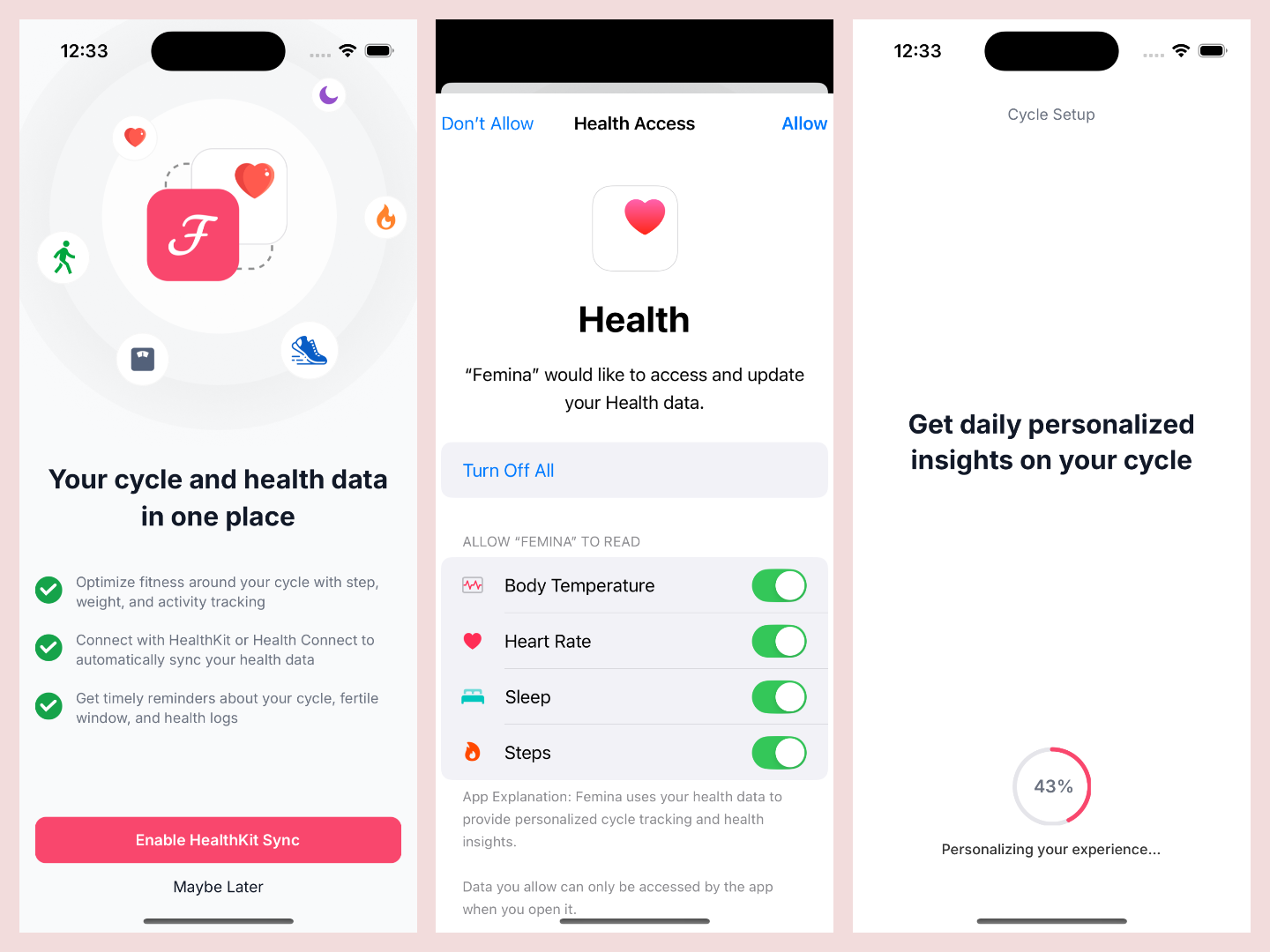
- Cycle Setup Pipeline : last period entry, previous periods, prediction generation, result, cycle pattern insight, daily symptom selection, notification and health access, completion progress.
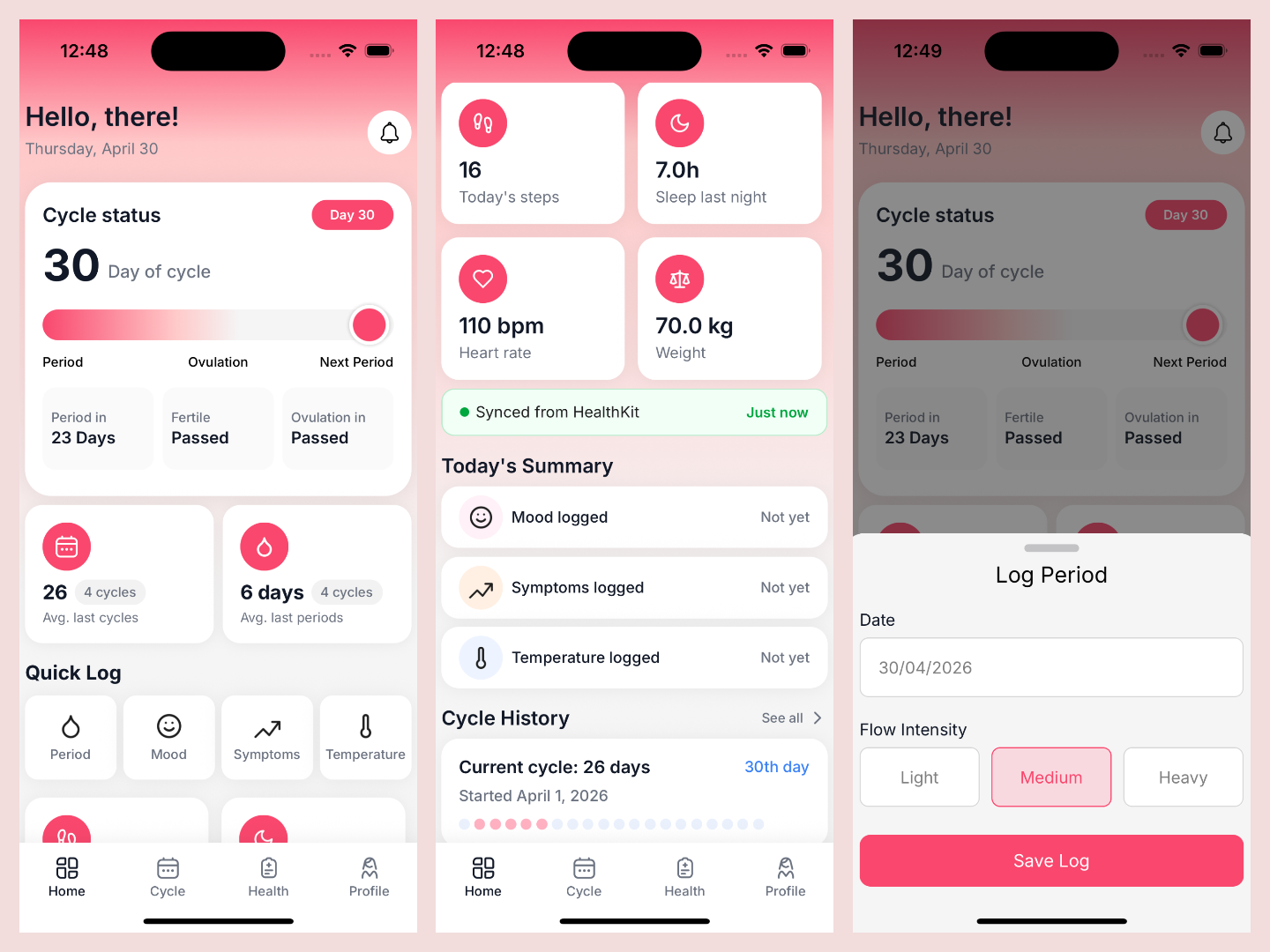
- Home Experience : cycle status, quick logging, health snapshot, today summary, cycle history.
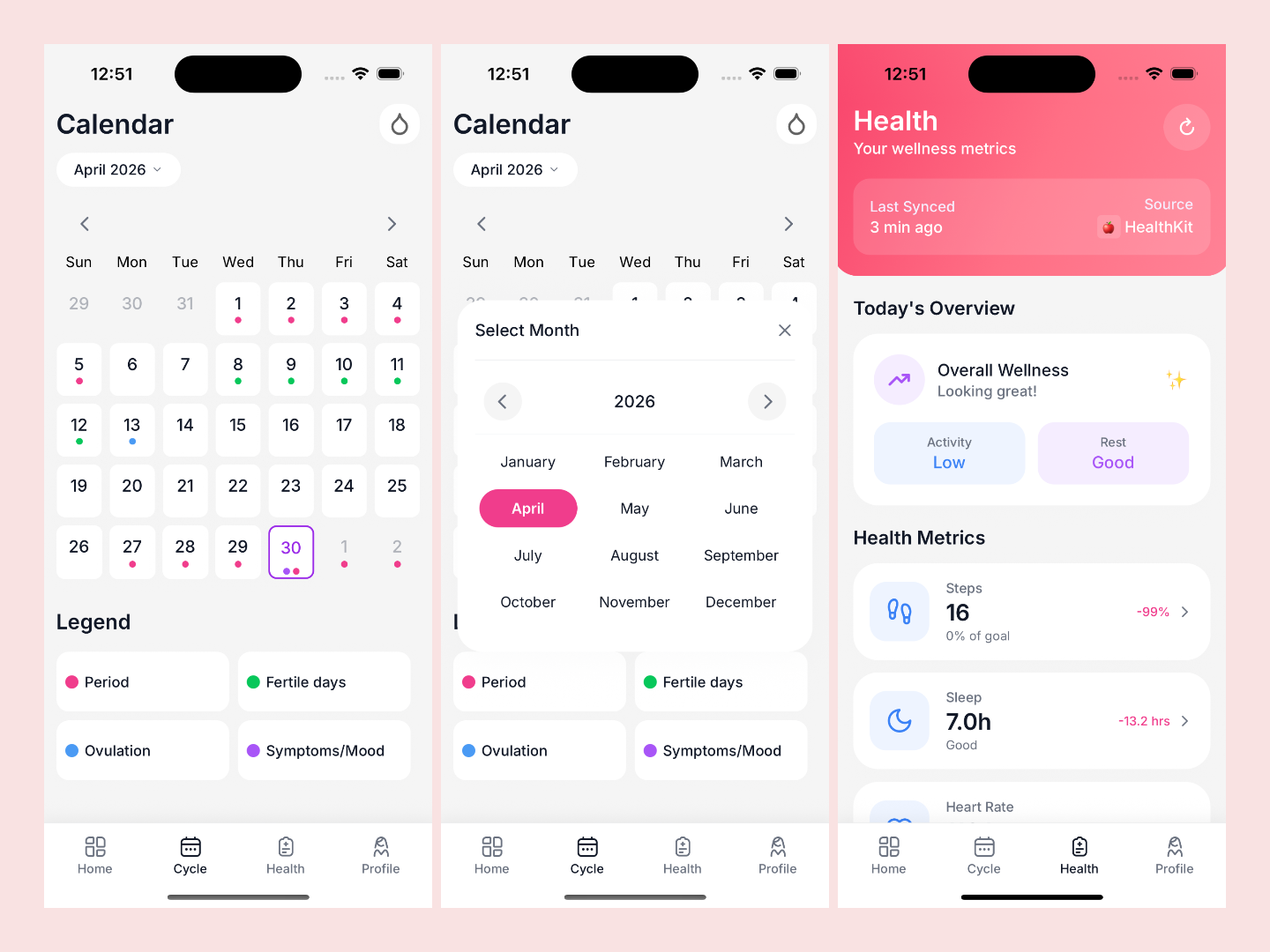
- Cycle Calendar : multi-dot period/fertile/ovulation/symptom calendar with month picker.
- Health Hub : sync status, wellness summary, metric cards, tips, source info, and deep links to trackers.
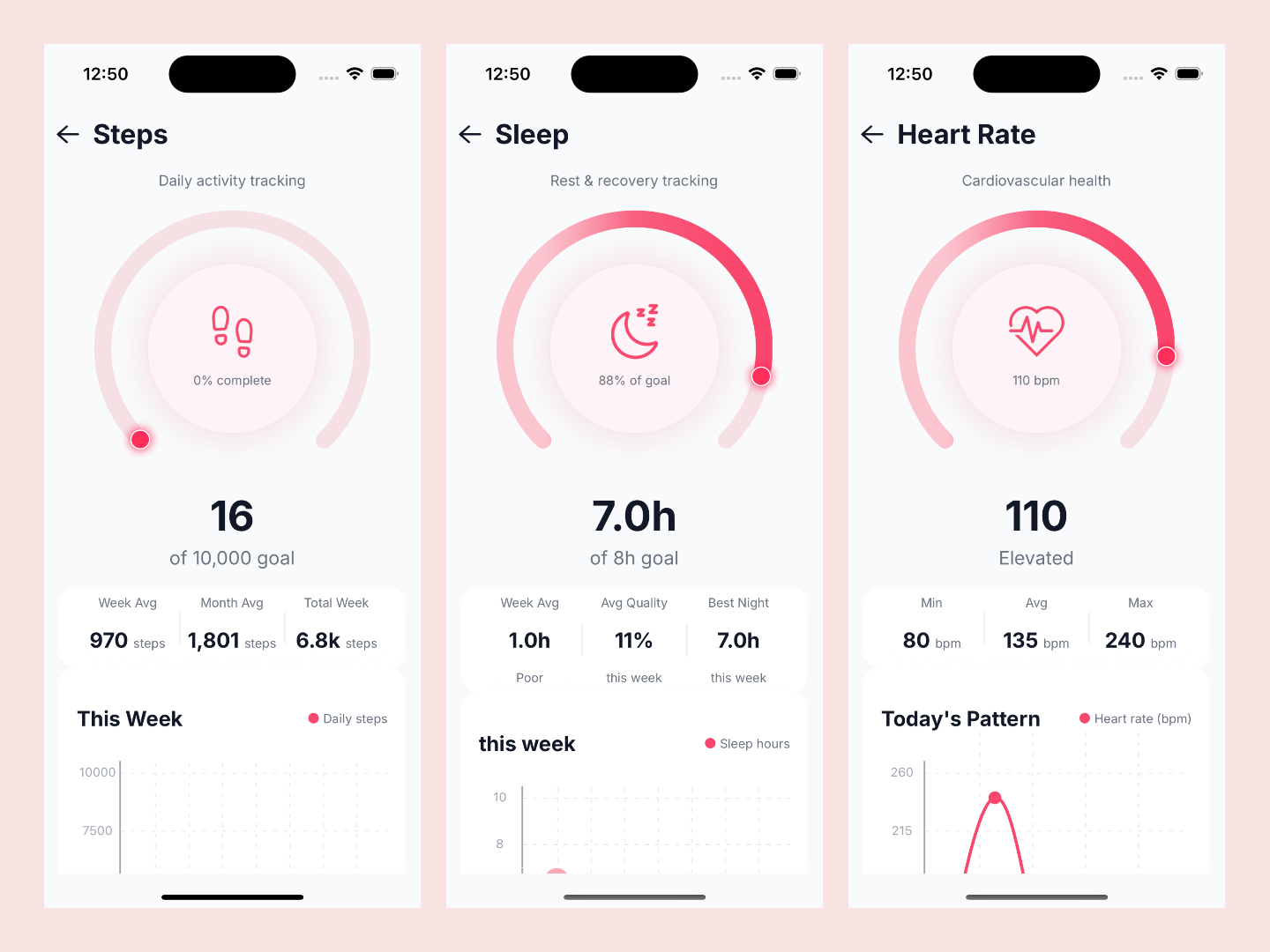
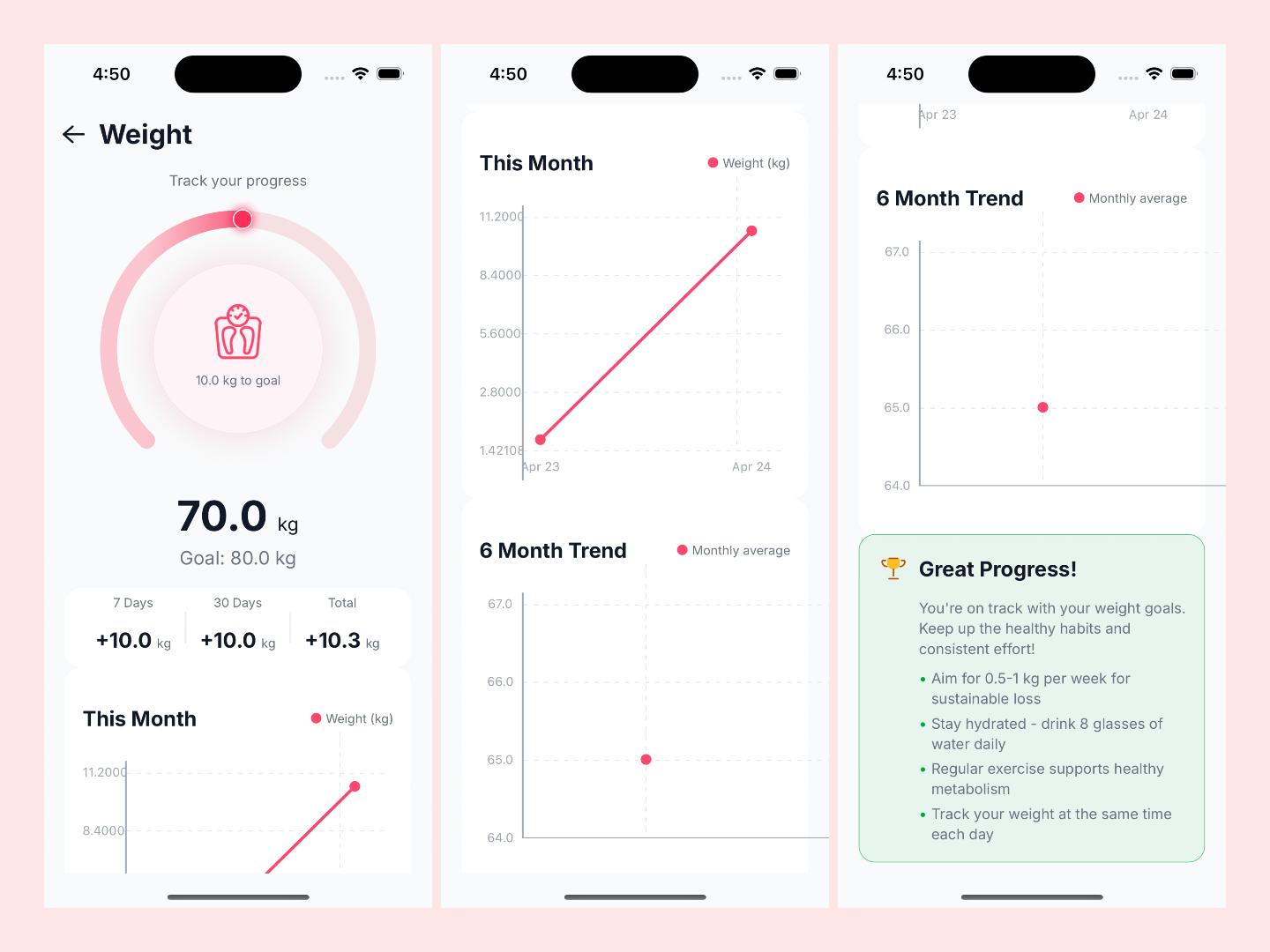
- Trackers : dedicated screens for steps, sleep, heart rate, and weight with weekly/monthly visualizations.
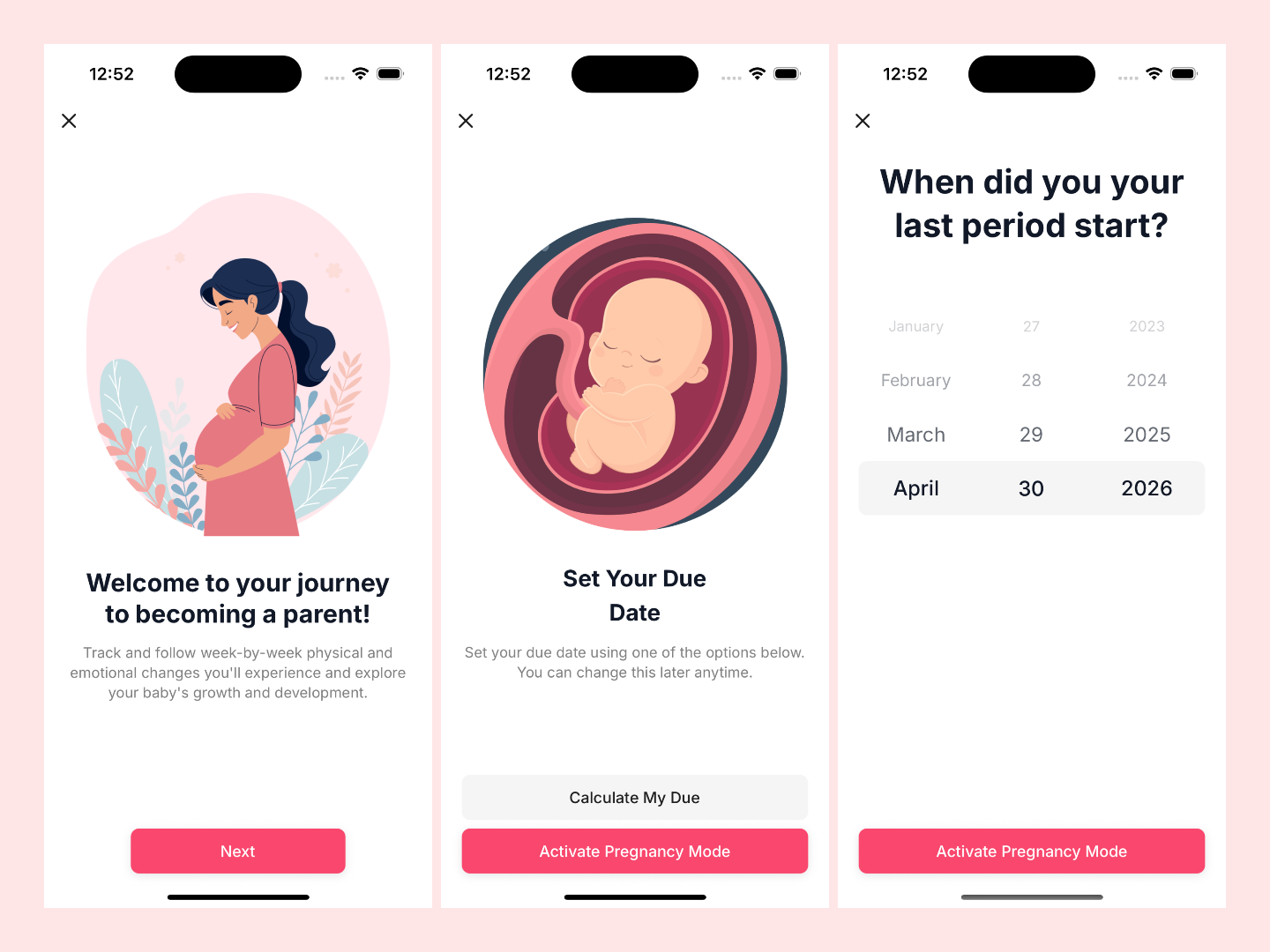
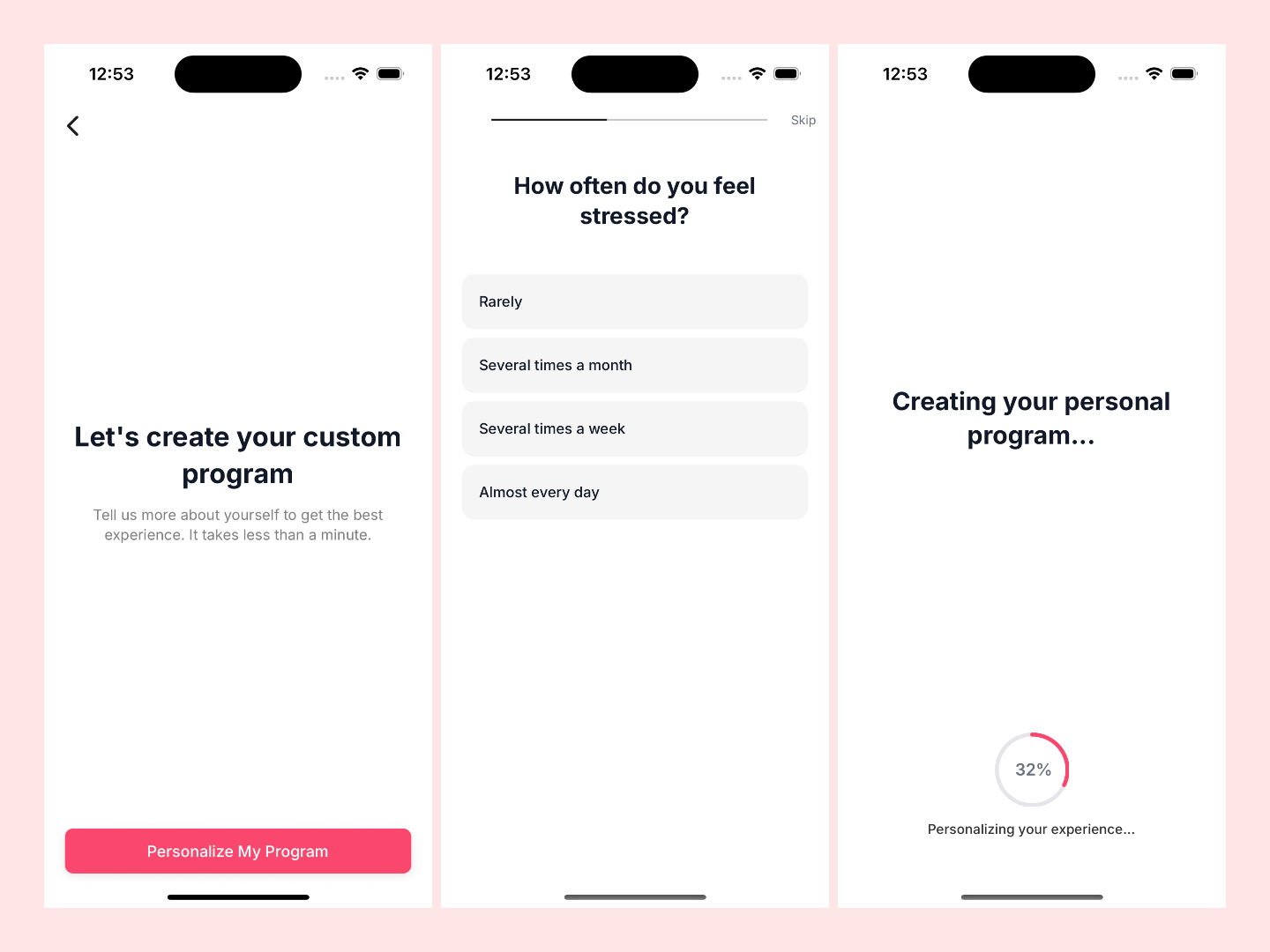
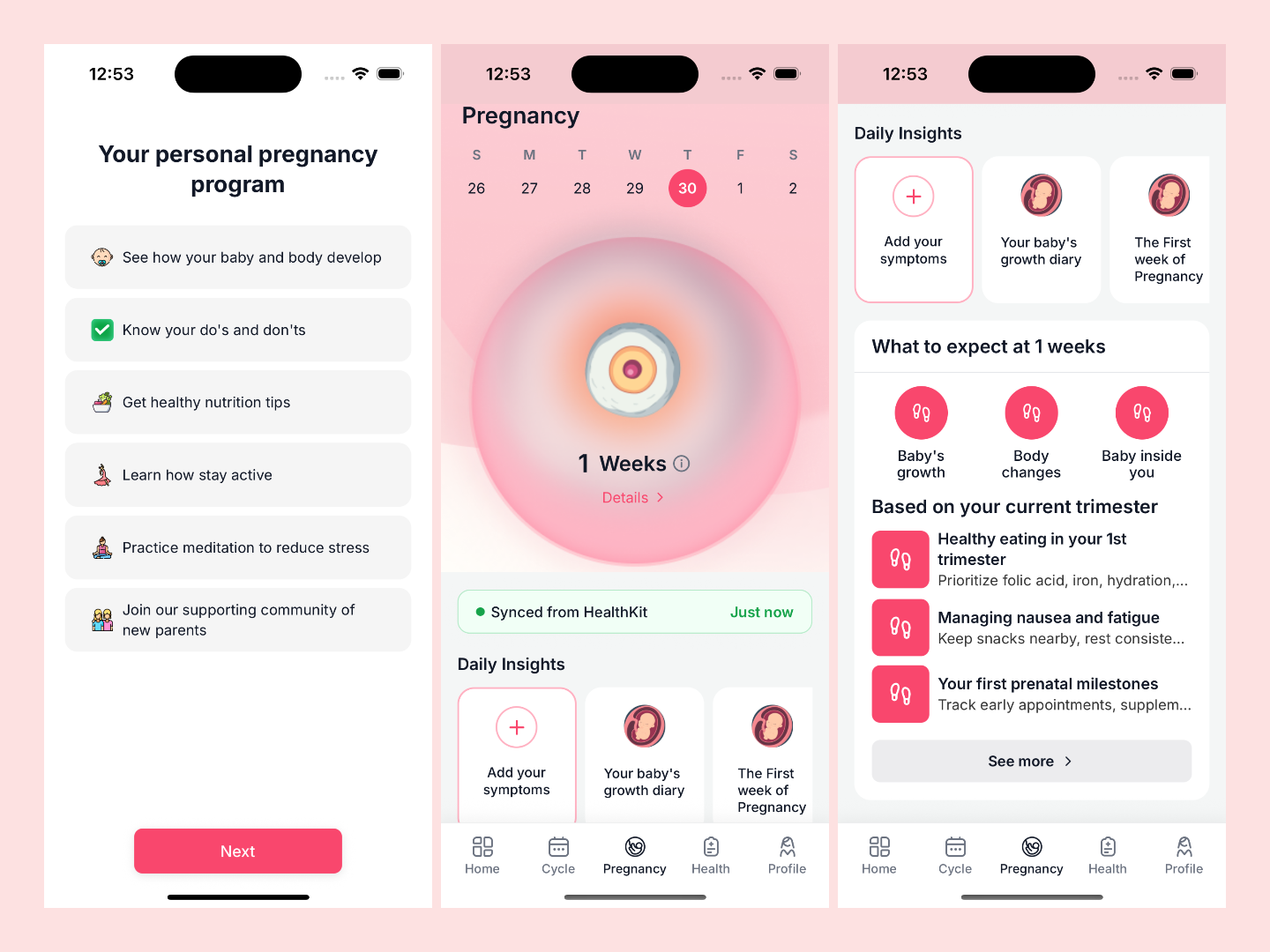
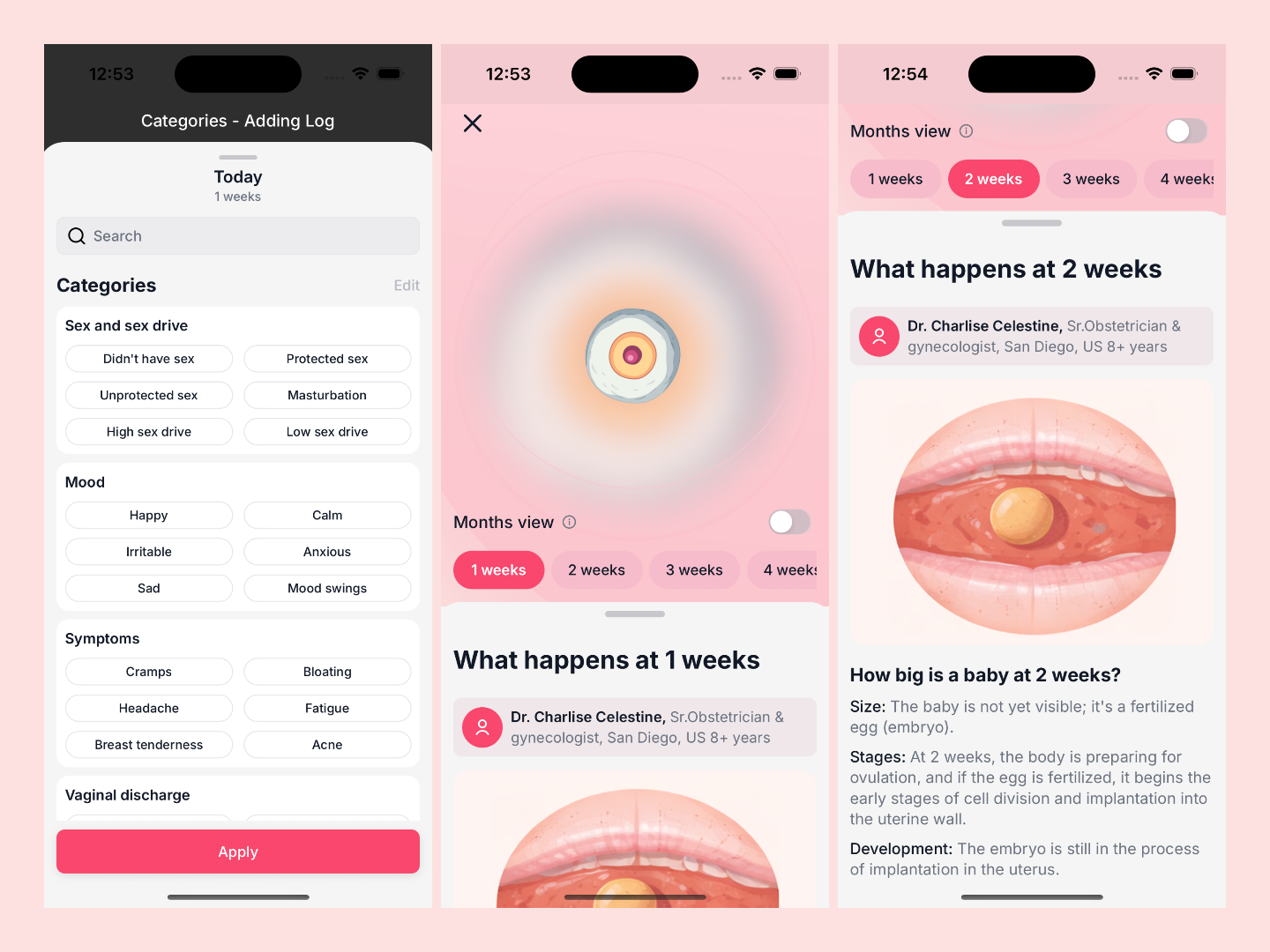
- Pregnancy Flow : pregnancy home, week/month details, due-date setup, custom program questionnaire/setup/summary.
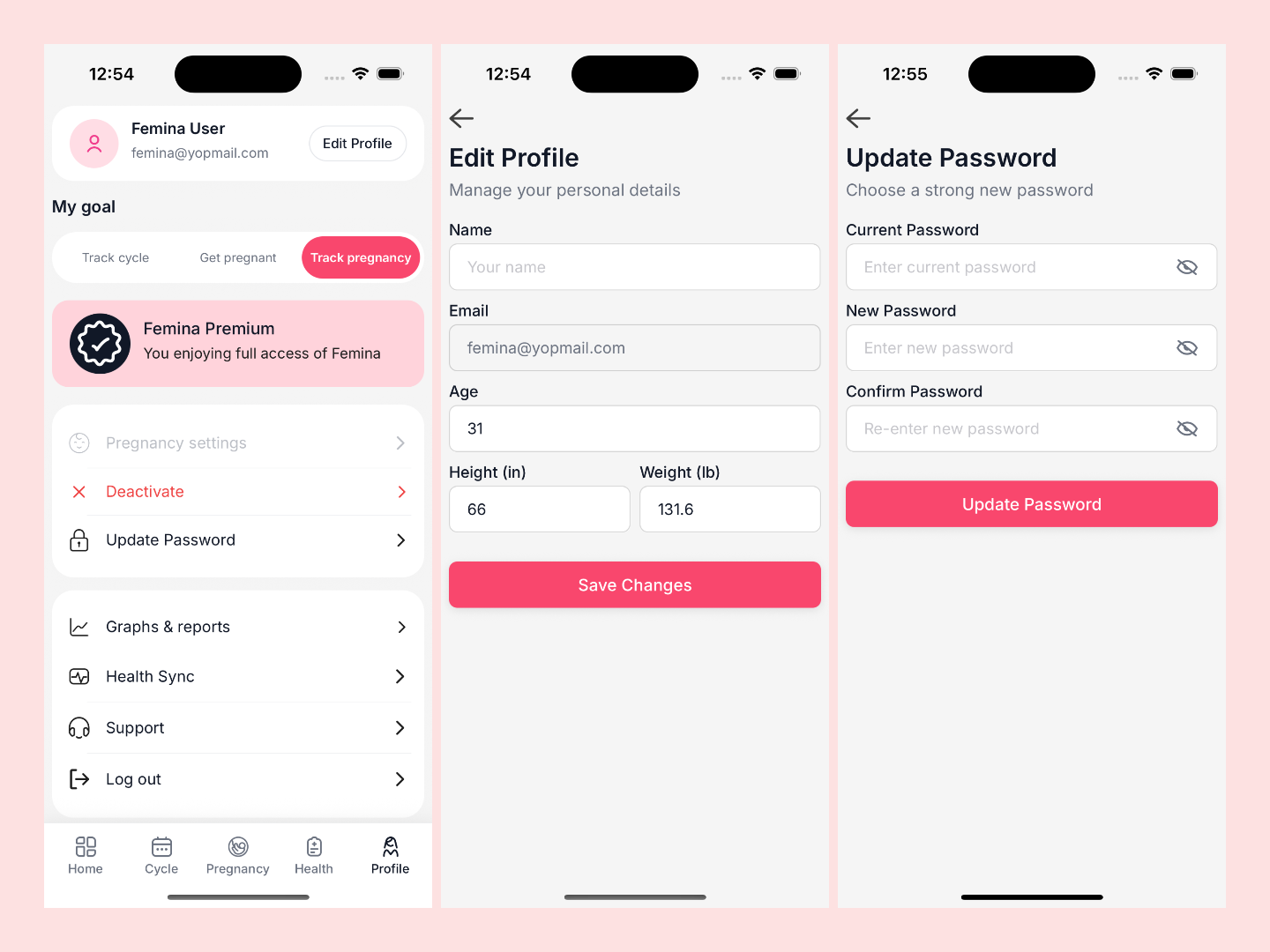
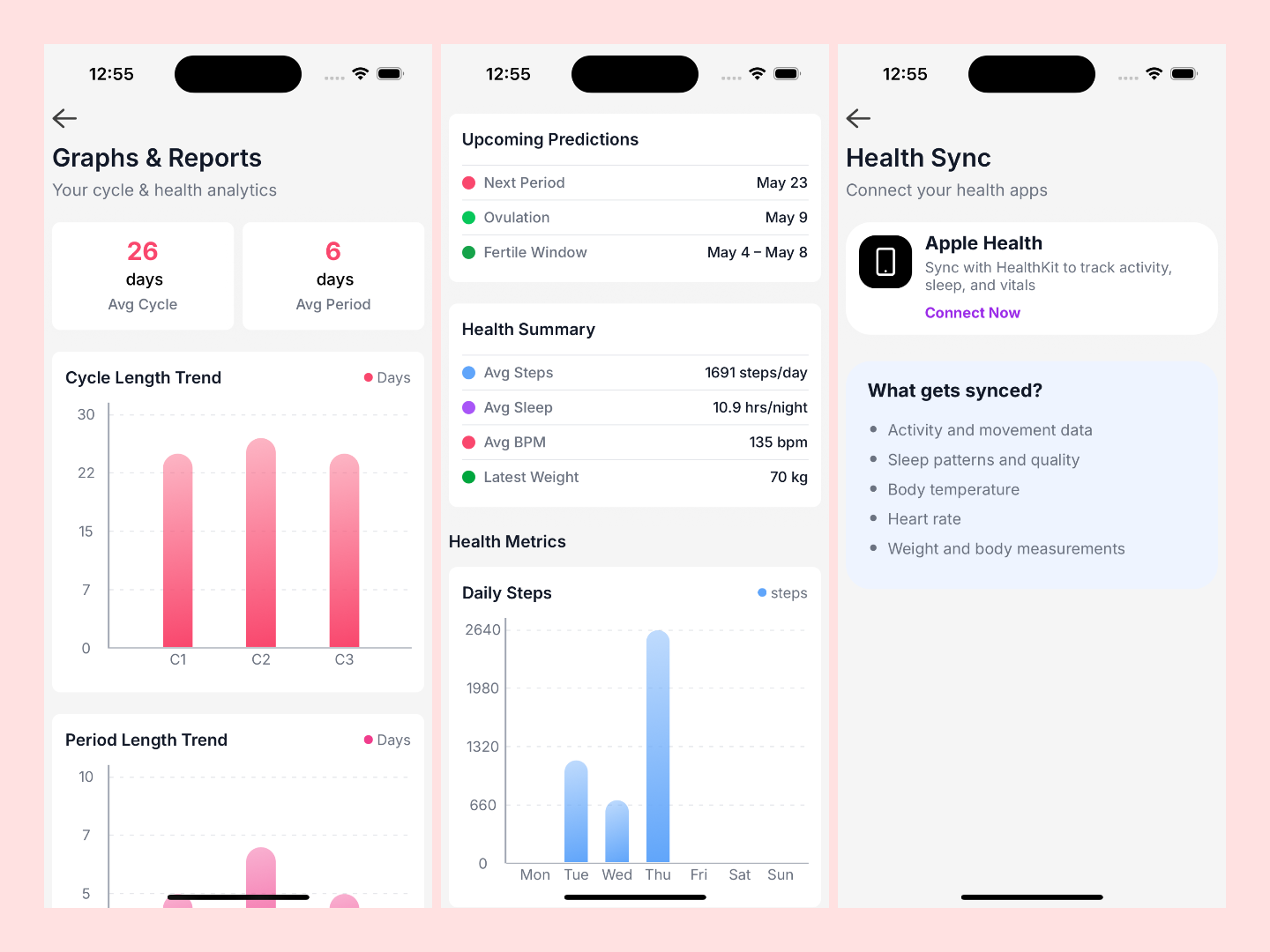
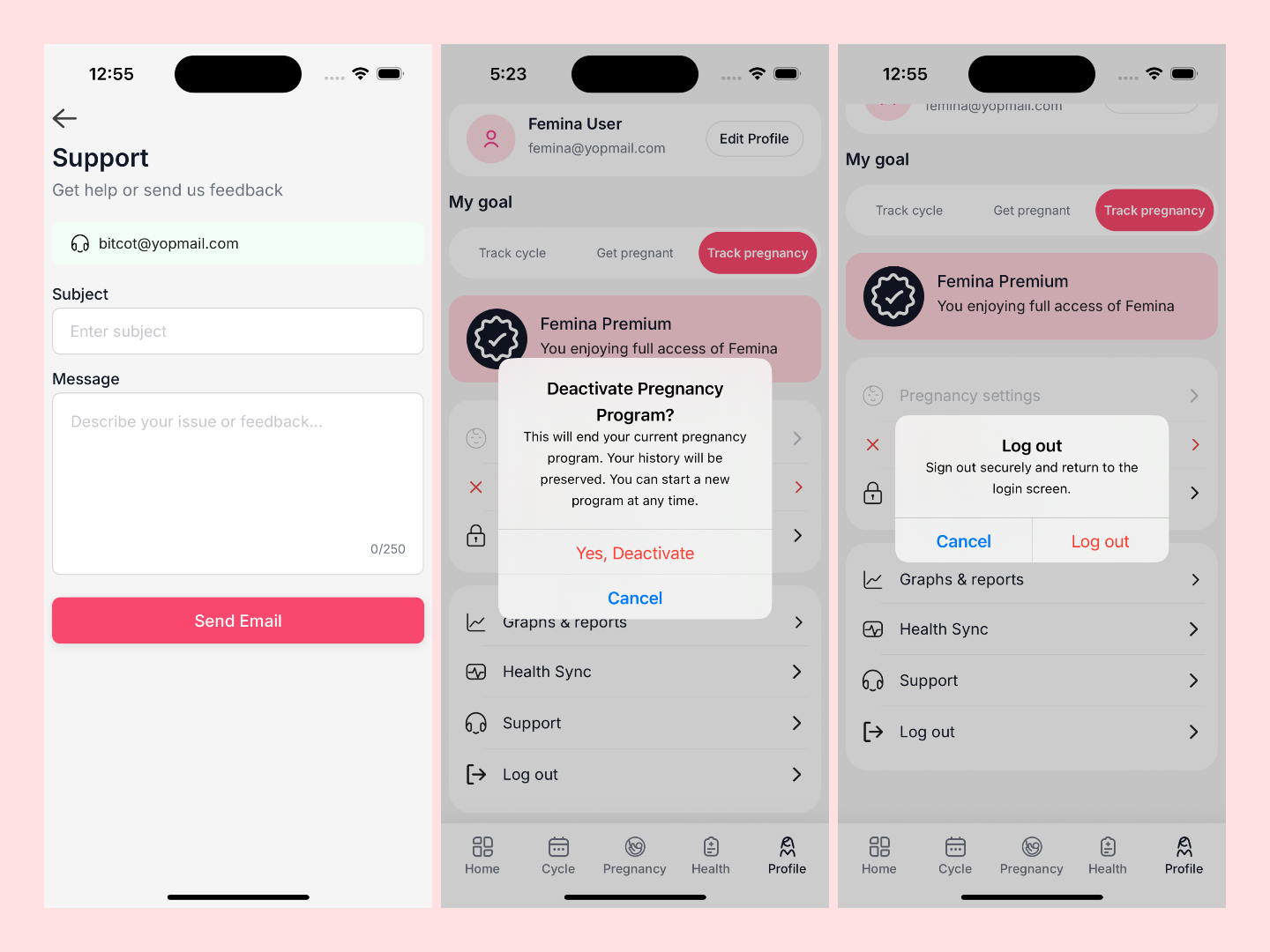
- Account : profile, goal selection, pregnancy settings entry/deactivation, health sync, graphs/reports, password updates, and support email flow.
Splash Screen, Welcome Screen and Walkthrough Screen.
Login Screen, SignUp Screen and Auth Otp Modal
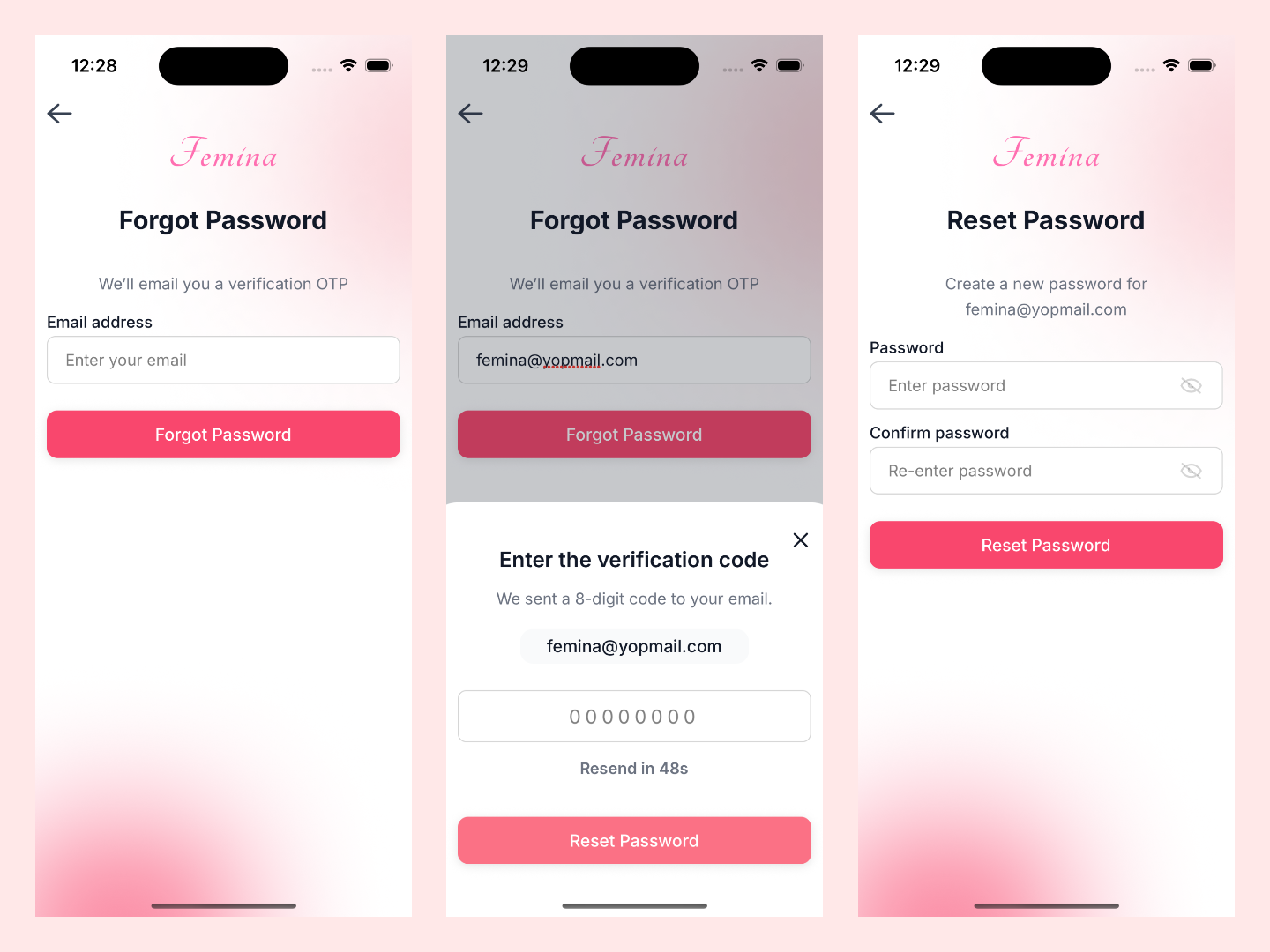
Forgot Password Screen, Auth Otp Modal and Reset Password Screen
Onboarding Walkthrough Screen, Birth Year Screen and Height Selection Screen.
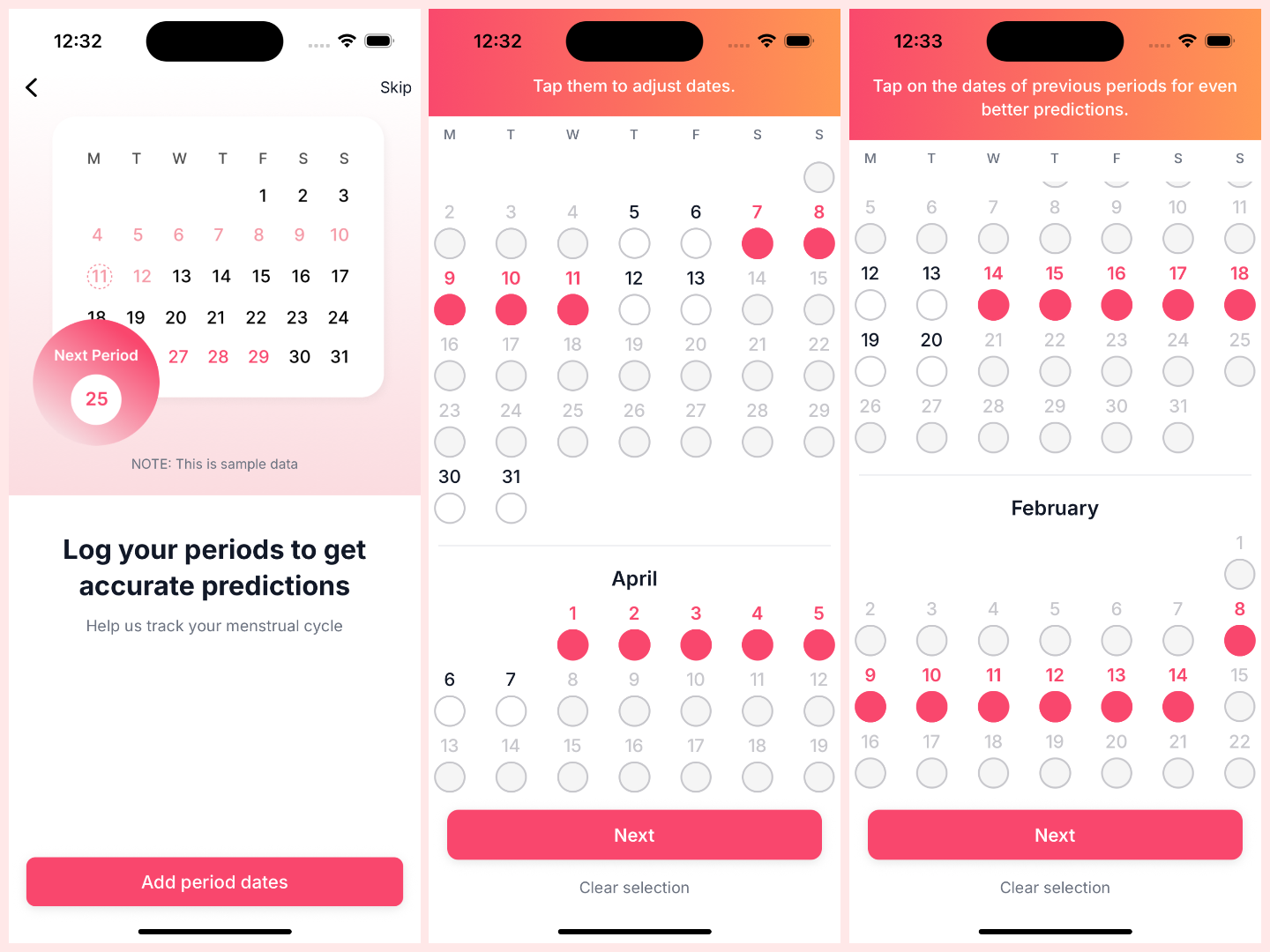
Cycle Setup Screen, Cycle Setup Last Period and Cycle Setup Previous Periods.
Cycle Predictions Screen, Cycle PatternsScreen and Daily Symptoms Screen.
Health Data Access Details Screen, Health Data Access Modal and Cycle Setup Progress Screen.
Home Screen and Period Log Modal.
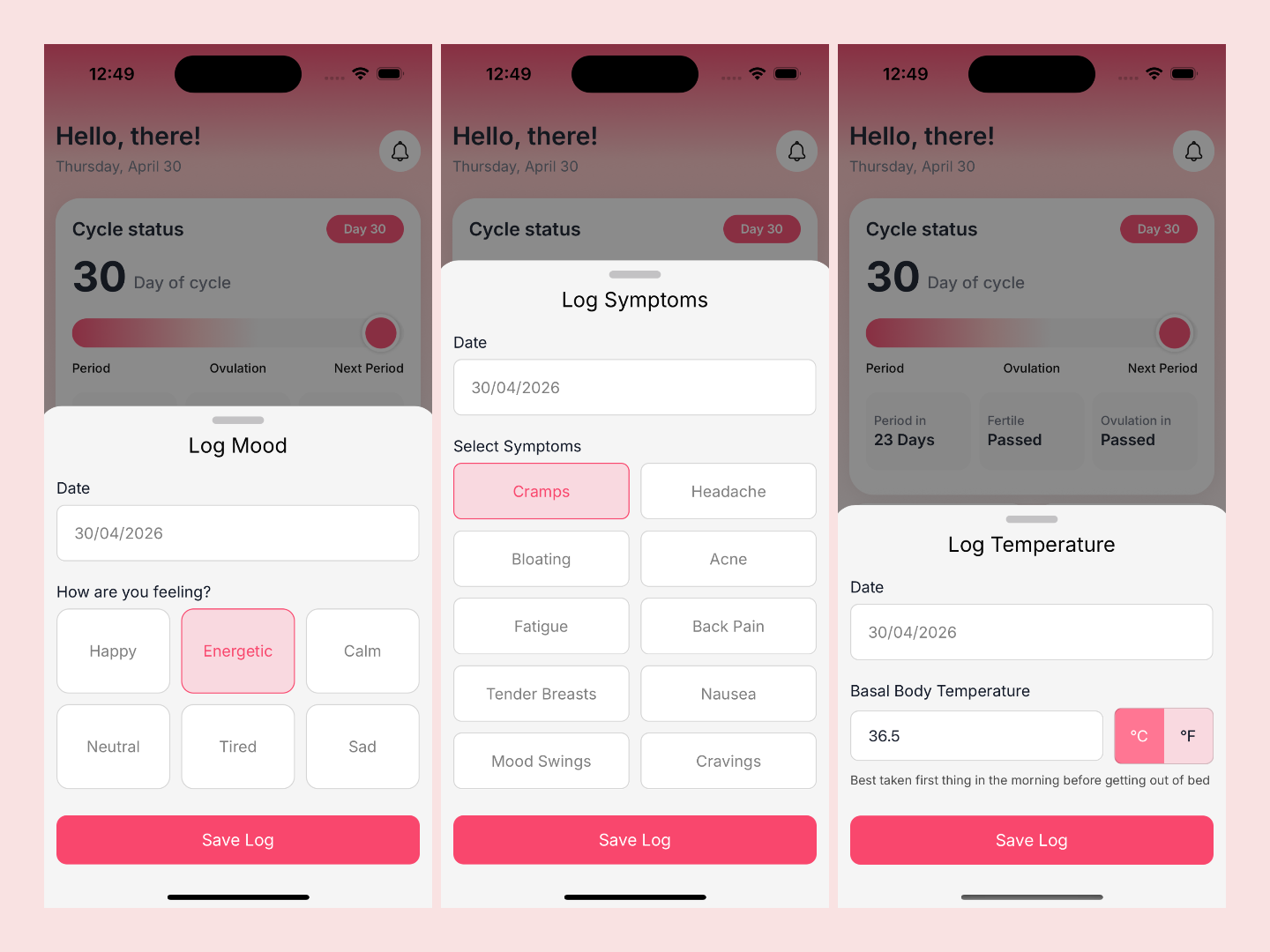
Mood Log Modal, Symptom Log Modal, Temperature Log Modal
Cycle Calendar Screen, Month Picker Modal and Health Screen.
Steps Tracker Screen, Sleep Tracker Screen and Heart Rate Tracker Screen.
Weight Tracker Screen(full)
Pregnancy Settings Welcome Screen , Pregnancy Settings Status Screen and Pregnancy Settings Last Period Screen
Pregnancy Settings Custom Program, Pregnancy Settings Custom Program Screen and Pregnancy Settings Personalise Program Screen.
Pregnancy Settings Custom Program Summary Screen and Pregnancy Home Screen.
Categories Modal & Pregnancy Week Details Screen.
Account Screen, Edit Profile Screen and Update Password Screen.
Graphs And Reports Screen, Health Sync Screen.
Support Screen Pregnancy Deactivate Modal and Log Out Modal.
7. Key Features :
1. Guided Onboarding With Persisted Vitals
The flow captures use-case context, birth year, height, and weight, and persists profile/vitals to backend-facing APIs from onboarding screens.
2. Date-Intelligent Cycle Setup
Cycle date entry is not a freeform picker. It enforces contiguous period logic, blocks invalid ranges, supports month-level clearing, and records onboarding progress step-by-step.
3. Quick Log as Daily Behavioral Layer
Users can log period flow, mood, symptoms, and temperature in a structured modal. Logs update local state immediately and are pushed to remote persistence.
4. Calendar That Merges Cycle + Symptoms Context
Cycle calendar combines period/fertile/ovulation marks with symptom/mood dots from logs, plus month picker navigation and pregnancy-mode conditional behavior.
5. Health Sync + Metric Intelligence
Health screen computes human-readable sync recency, trend deltas, quality/status labels, and actionable cards for steps, sleep, heart rate, and weight.
6. Dedicated Tracker Analytics Screens
Each tracker screen transforms raw historical samples into weekly and monthly chart series, progress goals, summary tiles, and achievement blocks.
7. Pregnancy Mode Lifecycle
Pregnancy mode includes activation paths, due-date derivation from last period, personalized program setup questions, and week/month educational detail rendering.
8. Account as Control Center
Profile management supports goal switching, pregnancy flow entry/deactivation, security updates (including Google-user password state handling), support tickets via mail, and consolidated reports.
8. Technology Stack :
Frontend : React Native 0.81.5 + Expo 54
Navigation : React Navigation (stack + bottom tabs)
State : Redux Toolkit + typed selectors/thunks
Forms : react-hook-form
Backend Integration : Supabase modules via service layer calls
Health Integration : Apple HealthKit (@kingstinct/react-native-healthkit)
Charts : react-native-gifted-charts
Calendars : react-native-calendars
9. Architecture and System Thinking
Femina’s new screen system follows a predictable pipeline:
- User Action : input, tap, log, select date, toggle mode.
- Container Logic : validation, transformation, and async orchestration.
- State Update : Redux local updates and derived selectors.
- Remote Sync : API calls through Supabase service modules.
- View Rendering : typed, reusable visual components with fallback-safe defaults.
This pattern appears consistently across onboarding, home, health, pregnancy, and account modules.
10. Challenges and Solutions :
Challenge 1: Cycle Date Selection Ambiguity
Problem : Free date picking can produce invalid period windows.
Solution : Calendar logic enforces contiguous range behavior, disabled ranges, and boundary-aware error alerts.
Challenge 2 : Health Data Presentation Quality
Problem : Raw synced values are hard to interpret.
Solution : The app derives trend percentages, quality tags, status labels, and time-since-sync text before rendering.
Challenge 3 : Pregnancy Context Consistency
Problem : Pregnancy context changes navigation, data, and settings behavior.
Solution : Pregnancy mode is treated as first-class app state with dedicated setup, activation/deactivation flows, and contextual screen availability.
Challenge 4 : Multi-Path Auth Security UX
Problem : Email users and Google users have different password paths.
Solution : Update-password logic handles provider-specific behavior and password initialization state safely.
11. Development Timeline :
- Week 1: Entry, auth, OTP, and session-aware splash routing.
- Week 2 : Onboarding capture (use case, birth year, height, weight).
- Week 3 : Cycle setup engine and prediction pipeline.
- Week 4 : Home dashboard + quick logging + cycle calendar.
- Week 5 : Health sync hub + four dedicated tracker screens.
- Week 6 : Pregnancy mode, custom program, and week details.
- Week 7 : Account controls, reports, support, and password management.
12. Validation Results :
From implemented screen behavior, the PoC validates:
- End-to-end onboarding-to-home transition with completion checks.
- Persisted cycle setup steps and prediction handoff.
- Real-time quick-log capture with summary reflection.
- Health dashboard and deep-link tracker navigation.
- Pregnancy mode activation, personalized flow, and contextual content rendering.
- Account-level administrative actions including sync, reports, and secure password update.
14. Business Impact :
This screen system enables:
- Higher retention : Daily engagement loops (Quick Log + summaries + trackers).
- Higher trust : Structured cycle and pregnancy workflows instead of generic data entry.
- Operational readiness : Built-in support and account controls reduce friction for user help and profile maintenance.
- Scalability : Container/View modularity accelerates new screen and feature delivery.
15. From PoC to Production
The next production-hardening layer should prioritize:
- Expanded telemetry and observability per screen funnel.
- UX experimentation around tracker goals and alerts.
- Stronger offline/poor-network fallback behavior.
- Deeper personalization using longitudinal cycle + health signals.
- Compliance workflows for data export/deletion and consent audit.
16. Why This Matters
Femina demonstrates that a modern women’s health app does not need fragmented feature silos. With a modular React Native architecture and lifecycle-aware screen design, one app can support cycle tracking, health syncing, and pregnancy guidance in a coherent experience.
17. Why Bitcot
Building a women’s health platform like Femina is not just about assembling features—it requires disciplined product thinking, precise data handling, and a deeply structured mobile architecture to support sensitive, lifecycle-driven user journeys.
We delivered this PoC rapidly because of three core strengths:
1. Architecture-First Execution
Our strict adoption of the Container / View / Styles pattern ensured every screen remained scalable, testable, and easy to extend. This allowed parallel development across onboarding, cycle logic, health sync, and pregnancy modules without breaking consistency.
2. Data Integrity & Privacy by Design
With Supabase + PostgreSQL (RLS) at the core, user data—from cycle logs to health metrics remains isolated, secure, and predictable. Every interaction is designed to prevent inconsistent states, ensuring trust in highly sensitive health workflows.
3. Deterministic UX Over Raw Data Dumping
We don’t expose raw data, we transform it into guided, decision-ready experiences:
Cycle predictions with validation logic
- Health metrics with trend interpretation
- Pregnancy timelines with contextual navigation
- This reduces cognitive load and increases daily engagement.
4. Rapid Iteration Without Compromising Quality
Using React Native + Expo + Redux Toolkit, we followed a modular delivery approach that enabled:
- Fast screen-level development
- Reusable logic across flows
- Continuous UX refinement without rework
5. Product Thinking, Not Just Development
We approached Femina as a complete user journey, not isolated screens:
- Lifecycle-aware navigation (onboarding → cycle → pregnancy → account)
- Context-driven personalization
- Built-in extensibility for future modules
- We don’t just build apps, we build cohesive digital health experiences that balance speed, scalability, and user trust.
18. Final + CTA
If your product roadmap includes cycle intelligence, health signal tracking, and pregnancy support, this Femina PoC is a concrete blueprint for execution.
It shows how to go from disconnected trackers to a guided, end-to-end women’s health journey in weeks.
If you want, the next step is converting this draft into:
1. a publish-ready marketing article,
2. a shorter LinkedIn version, and
3. a design-ready version with final screenshot placements.
19. FAQ
1. Can Femina work without Apple Health data?
Yes. The screens include fallback states and still support cycle logging, quick logs, and pregnancy flows without HealthKit sync.
2. How are pregnancy timelines calculated?
Pregnancy setup derives due date and current week from selected last-period date and stores journey state for downstream screens.
3. Does the app support secure password updates for social-login users?
Yes. The update-password flow handles Google-auth users differently when no password is set yet.
4. Are health trends visual or just numeric?
They are both. Tracker and reports screens build weekly/monthly chart series and summary metrics for steps, sleep, heart rate, and weight.
5. Can this architecture scale to more modules?
Yes. The `Container / View / Styles` structure used across `screens` is intentionally modular and easy to extend.